Back to all work
Digital Product

Solo HQ a freelance business in one place.

A complete freelance operating system built in Notion — clients, proposals, projects, tasks, invoices, income and expenses in one connected workspace. Designed, built and launched as a Free and Pro template, with its own landing page and store.


The illustrated freelancer leaping with a raised fist in celebration beside the Solo HQ Pro home page, as a paid invoice with a green tick, gold coins, a client tile, a project folder, a task list and a Northbridge partial-payment entry burst out around it
Role Sole creator — product, design & build
Timeline 2026
Status Live · Free & Pro
01

The problem

Freelancing is booming. Managing it is a mess.

Most freelancers run their entire business across four disconnected apps — a project manager here, a CRM there, an invoice tool somewhere else, a time tracker on the side. Every one has a monthly fee, and none of them talk to each other, so the freelancer becomes the glue: copy-pasting between tabs, manually checking what's overdue, and building a system out of workarounds. The tools are either overkill, built for agencies with a team to feed, or oversimplified, a spreadsheet with ambitions. After a lifetime of freelancing I'd tried most of them, and none quite fit the way a one-person business actually works.

An illustrated freelancer at a desk, holding a tangle of glowing cables that run out to a spreadsheet, calendar, chat window, inbox, to-do list, kanban board, payment page and cloud folder — the glue holding a business of disconnected apps together
02

The insight

Organize the work. Then run the business.

A freelancer's needs come in two stages. First you need to organize your work — who your clients are, what you're building for them and what's due today. Then you need to run the business — send proposals, chase invoices, know what you've earned, set tax money aside and see what you've spent. Most tools blur the two, and everything gets heavier than it needs to be. So Solo HQ draws the line deliberately: one workspace, seven connected sections, where changing something in one place updates it everywhere else. No manual syncing, no tab switching, and no subscription — it lives in Notion's free tier, bought once and kept.

The same illustrated freelancer, now relaxed with her feet up on the desk and a mug of tea in hand, while one tidy workspace panel runs everything: clients, projects and tasks on one side, proposals, invoices and income on the other
03

A key decision

Connected by design, calm by default.

The real design work was invisible: clients link to projects, projects to tasks, tasks to invoices, invoices to income. Get those relationships right and the dashboards fill themselves in. On top of that sat a handful of deliberate calls. Free covers organizing your work — Clients, Projects, Tasks — as a genuine working template rather than a demo, while Pro covers running the business. The locked sections in Free aren't dead ends: each is a designed preview that says what the section does and why it matters. Every dashboard follows one rule — scannable in seconds, not read like a spreadsheet — so each shows only the columns its purpose needs, stacked full-width after side-by-side columns proved to feel unorganised in a tool with no visual containers. And color does quiet work: tasks are blue, clients purple, projects orange, money green.

The illustrated freelancer standing at a whiteboard, tracing how Solo HQ connects: purple client tiles link to orange project folders, to blue task lists, to green income tiles
04

The template

Seven sections. One system.

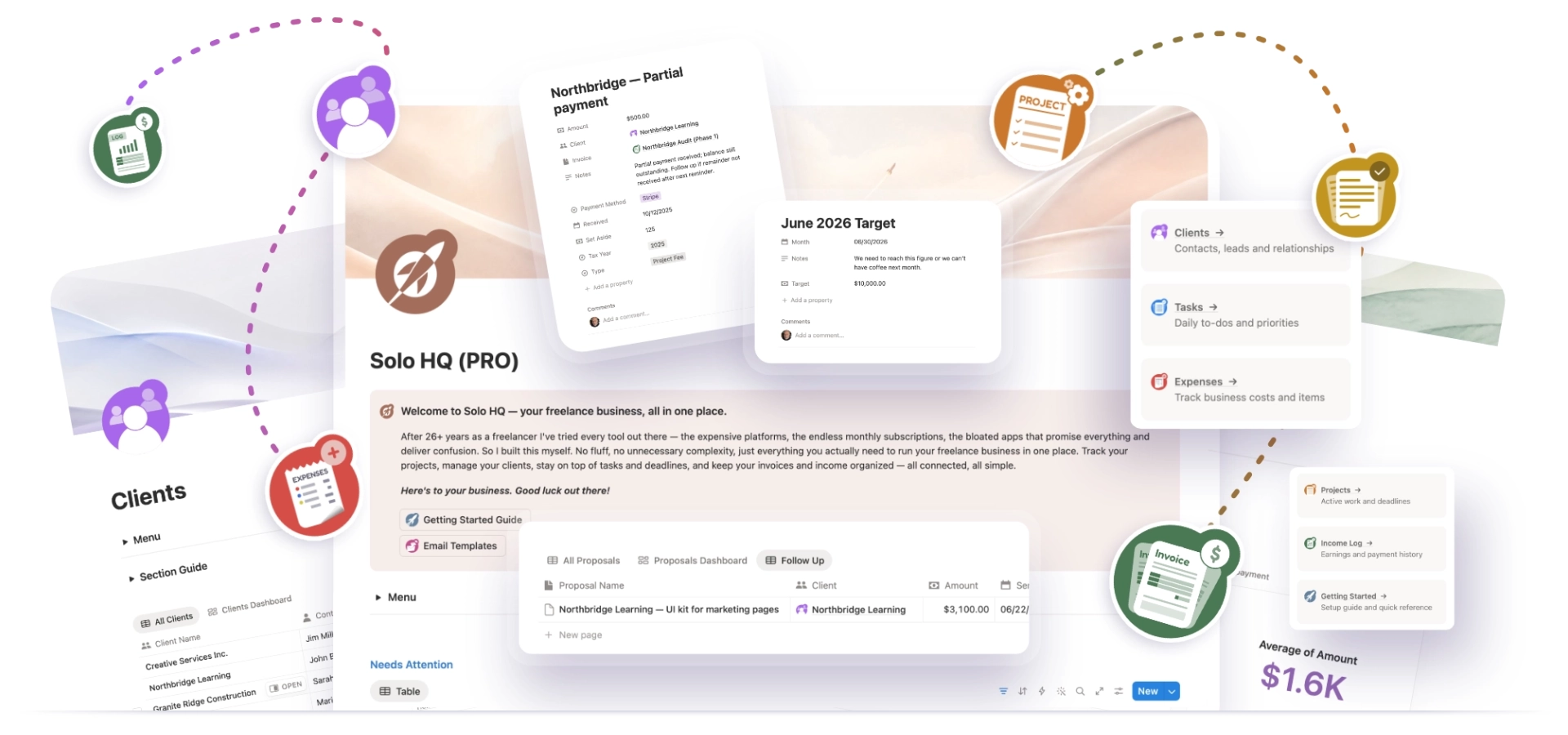
Clients, Proposals, Projects, Tasks, Invoices, Income Log and Expenses — each with its own dashboard, and each wired to the rest. Proposals track every quote from draft to approval and flag what needs a follow-up. Invoices number themselves and flag what's overdue. The Income Log sets aside a share for tax on every payment, and Expenses keeps what's tax-deductible a filter away at the end of the year. A Getting Started guide and seven ready-to-use email scripts — proposal follow-ups, project kick-offs, invoice chasers — make it usable on day one, even if you've never opened Notion before.

The Solo HQ Pro home page at the center of a spread of Notion screens: a Welcome message with Getting Started Guide and Email Templates buttons, a proposals table, a payment record and monthly target card, and a menu of sections, with the Clients, Projects, Proposals, Expenses, Invoices and Income Log icons joined by dashed lines
Seven sections, wired together.
Tap any section below to take a closer look.
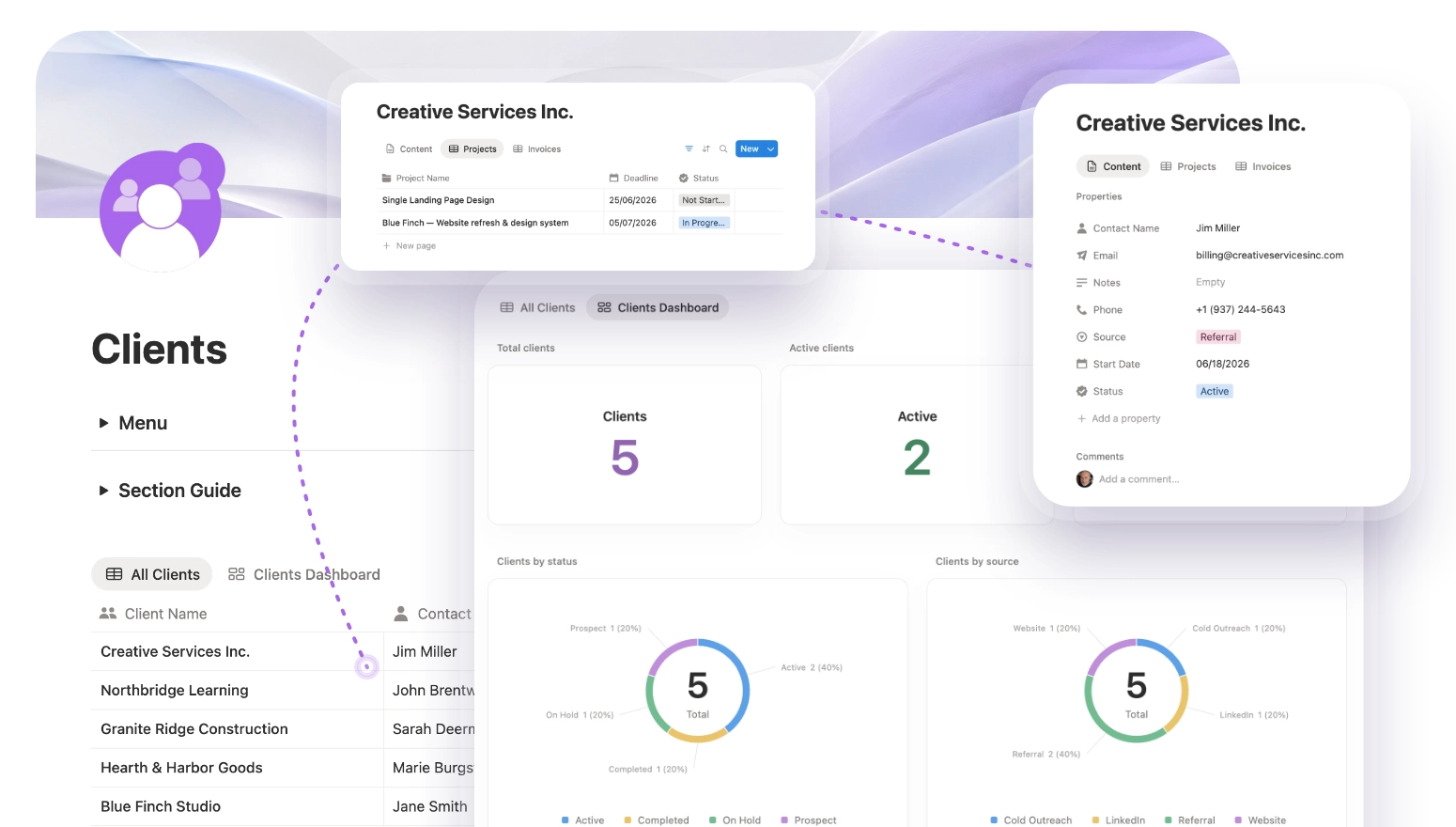
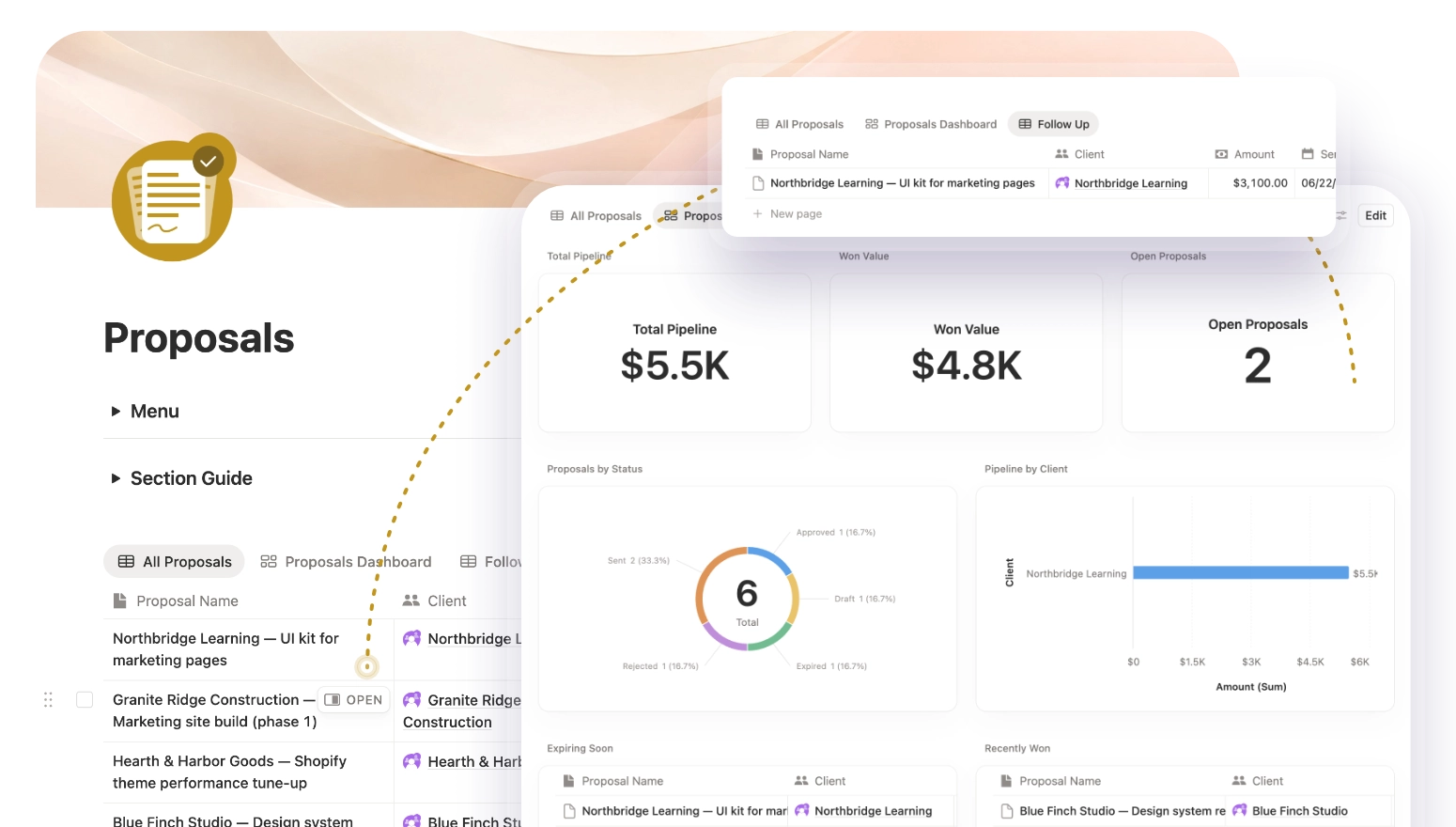
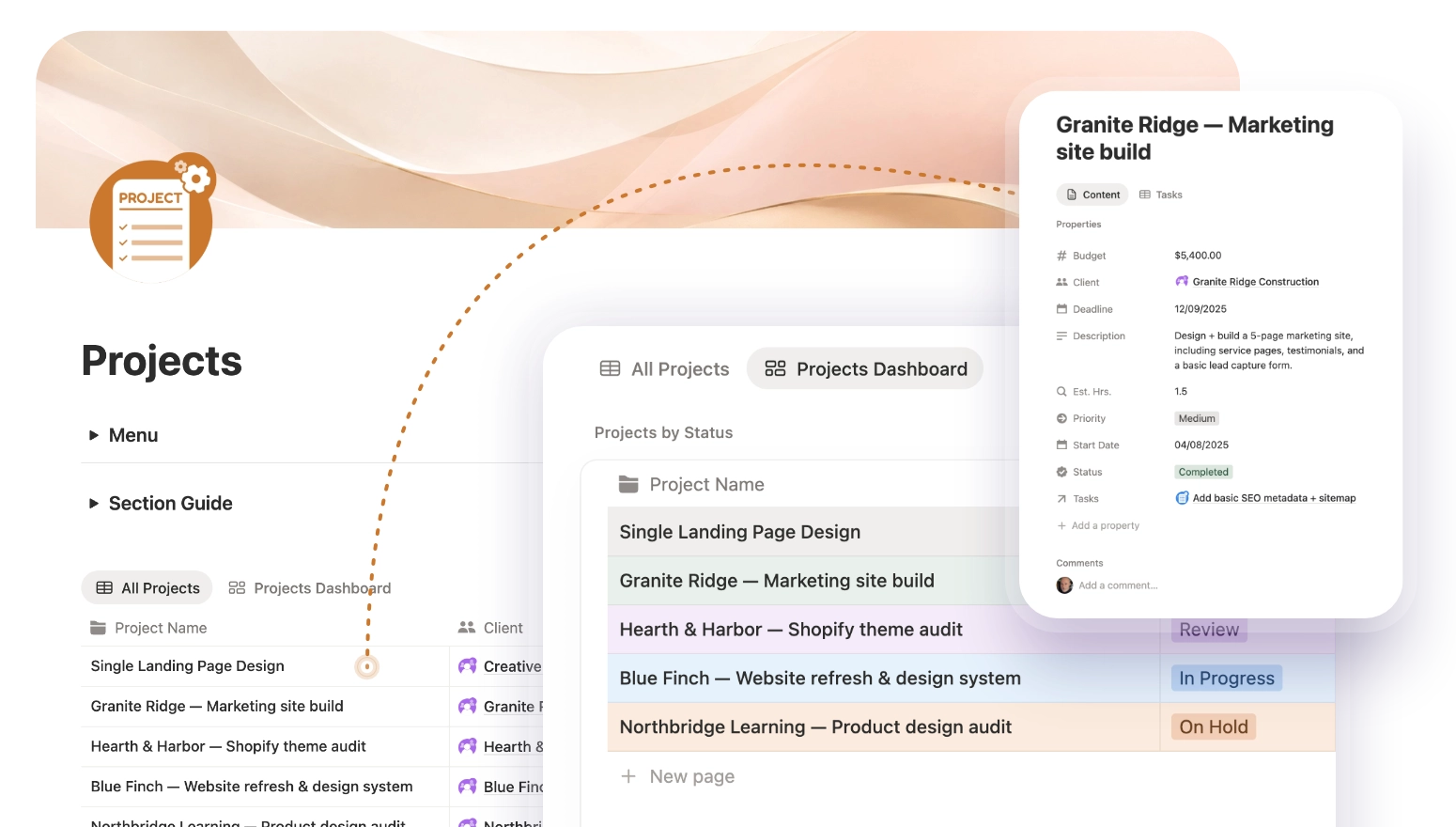
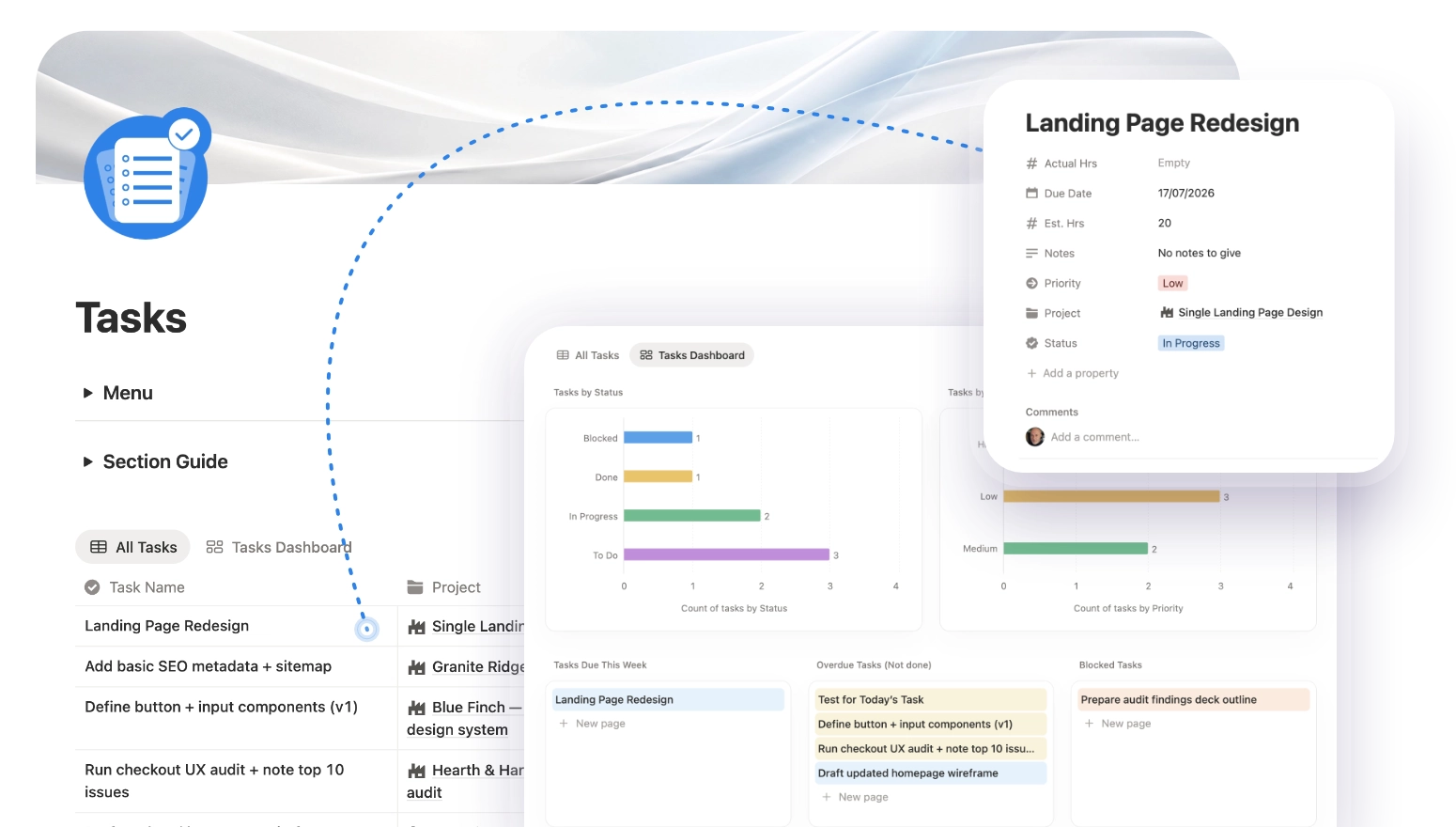
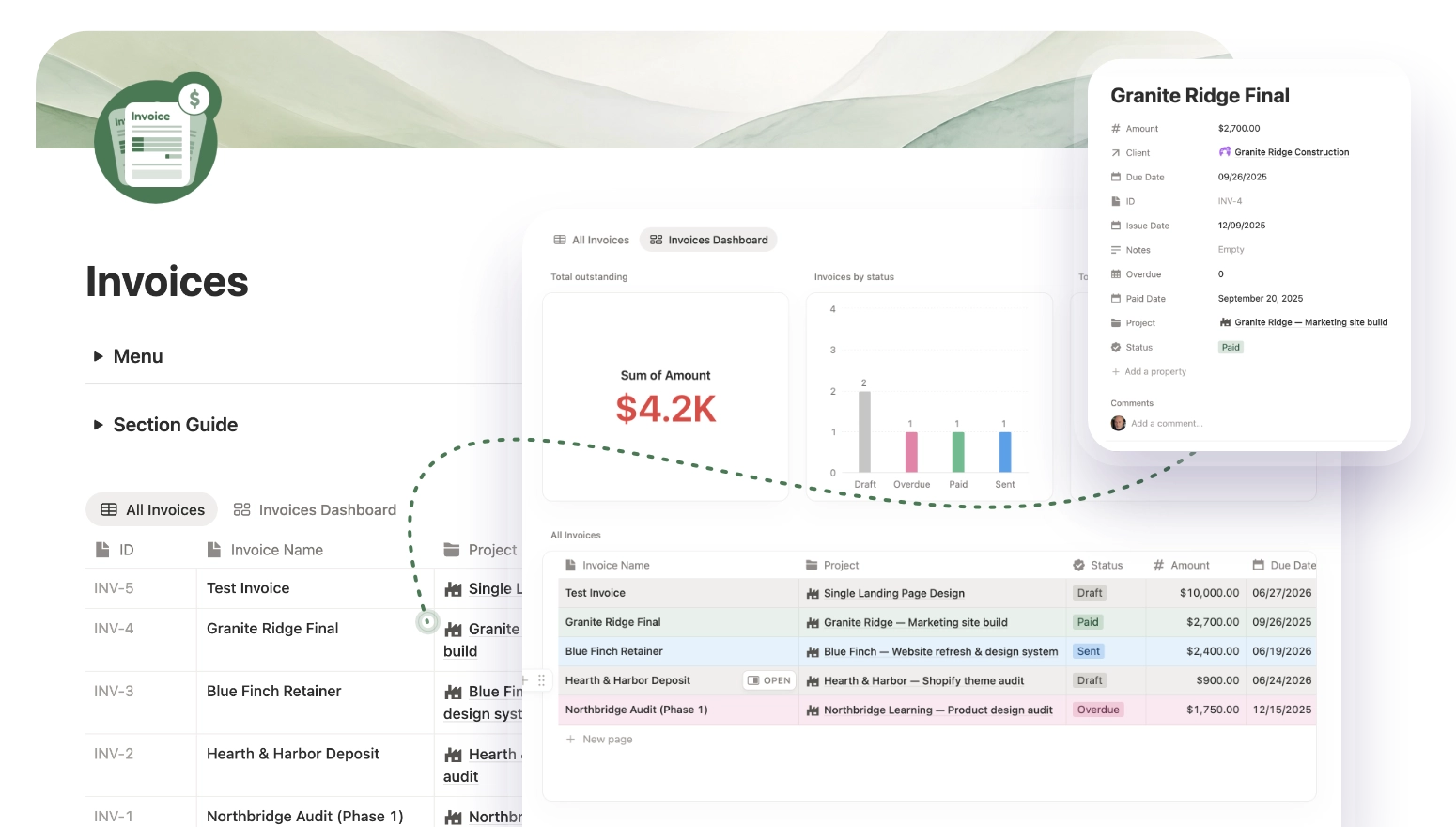
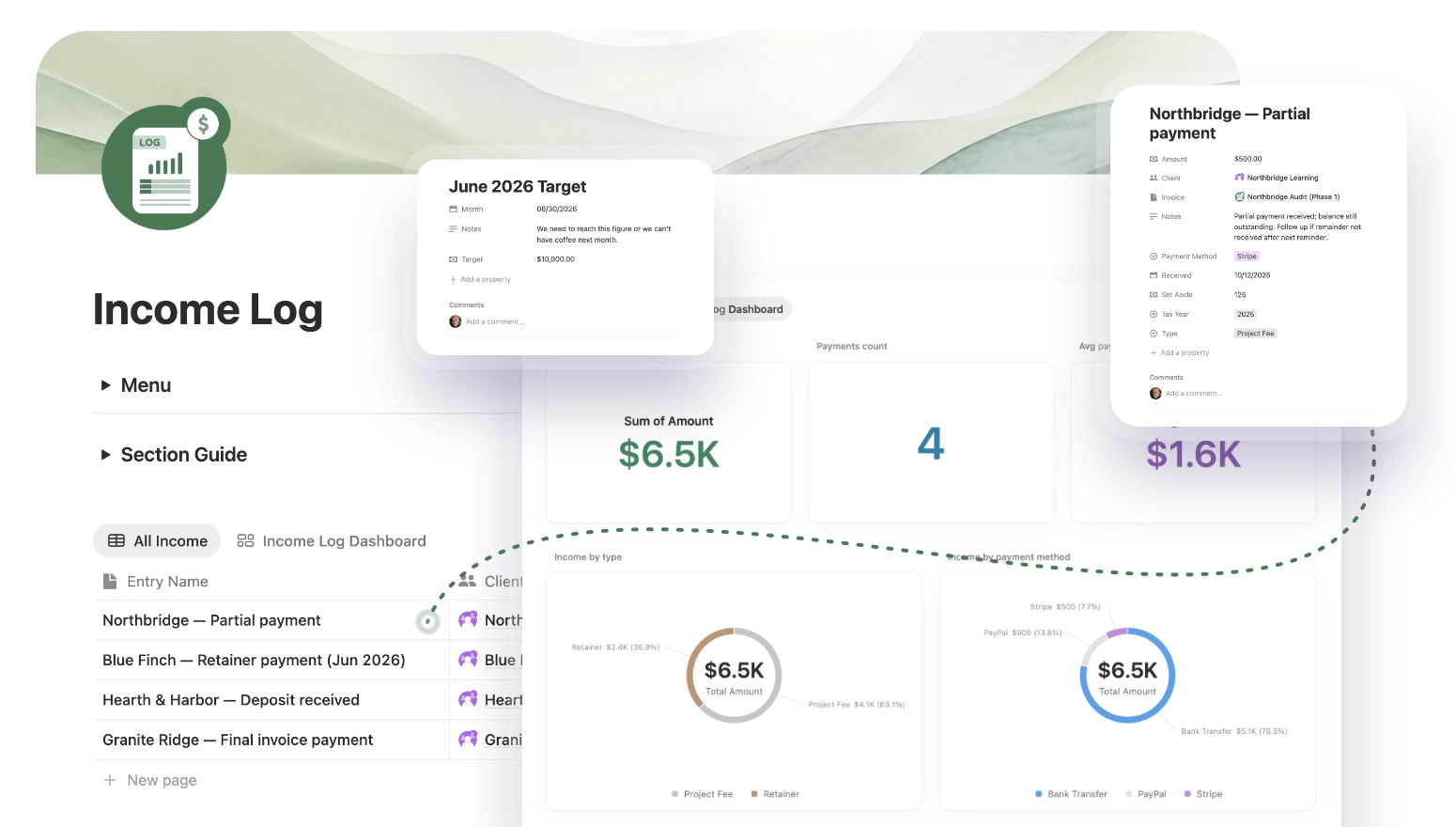
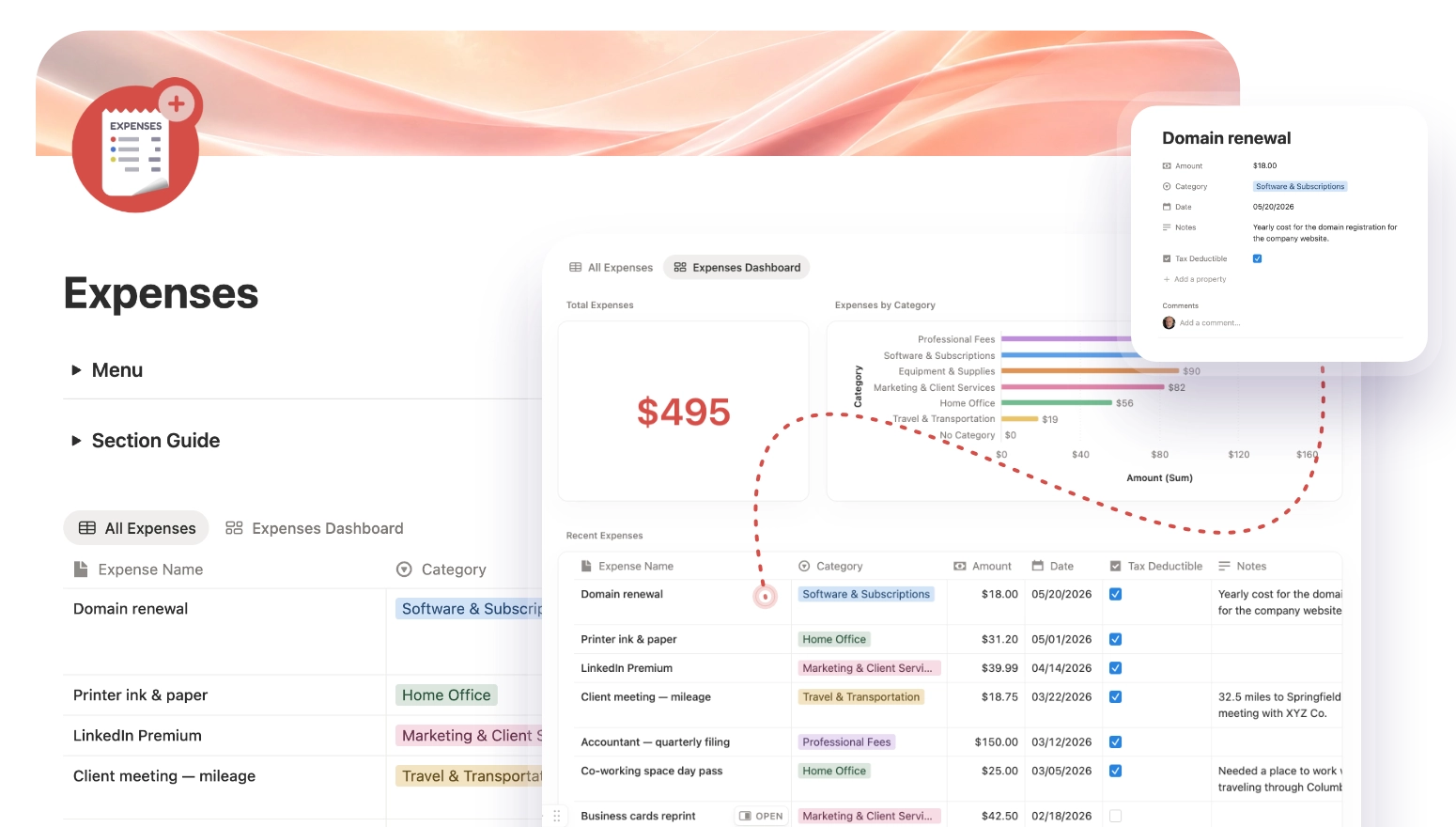
The Solo HQ Clients section: a Clients page with a client table, beside a Clients dashboard showing total and active client counts and donut charts by status and source, and a client record for Creative Services Inc. linked to its projects The Solo HQ Proposals section: a proposals table beside a dashboard showing a $5.5K total pipeline, $4.8K won and two open proposals, with a status donut and a follow-up view The Solo HQ Projects section: a projects table beside a Projects dashboard with color-coded statuses, and a Granite Ridge project record showing budget, deadline and linked tasks The Solo HQ Tasks section: a task list beside a dashboard with bar charts of tasks by status and priority, panels for tasks due, overdue and blocked, and a Landing Page Redesign task record The Solo HQ Invoices section: an invoice table beside a dashboard showing $4.2K outstanding and a chart of invoices by status, and a Granite Ridge Final invoice record marked Paid The Solo HQ Income Log: a list of payments received beside a dashboard showing $6.5K total income, with donut charts by type and payment method, a monthly target card and a partial-payment record The Solo HQ Expenses section: an expense list beside a dashboard showing $495 in total spend, a chart of expenses by category and a tax-deductible column, and a Domain renewal record
05

The marketing site

The product, and the shop window.

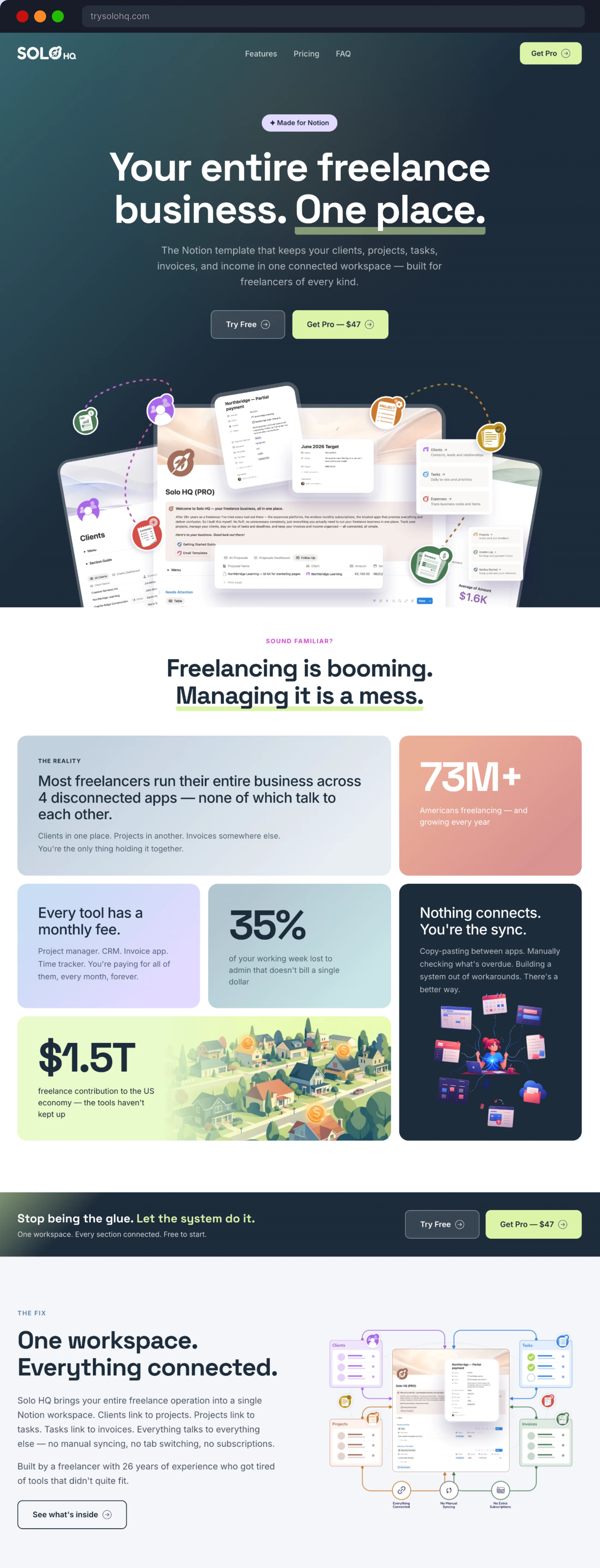
A template is only as good as the page that explains it. trysolohq.com makes the case in order — the problem, the fix, what's inside, a clear Free versus Pro comparison — in plain HTML, CSS and JavaScript with no framework, hosted on Cloudflare Pages with scroll animations kept light. The email signup feeds a five-lesson course on running a freelance business, and the page's supporting numbers were fact-checked against sources, with two corrected before launch. I chose cookie-free analytics deliberately: no consent banner standing between a visitor and the page. Behind it sit a Gumroad store, a Notion Template Gallery submission and an Etsy listing, all pointing home.

Visit the live site
The full trysolohq.com landing page in a browser window, top to bottom: the 'Your entire freelance business. One place.' hero, the problem with four disconnected apps, the connected-workspace fix, the seven sections, Free and Pro pricing, a customer review, the FAQ and a closing call to action
06

End to end

One person. The whole thing.

Product thinking, information architecture, the Notion build, the Free and Pro split, the brand, the landing page, the store, the email course, the domain and the hosting — all designed and built by one person, learning Notion in the process. It's built for the way I actually work: the system I run my own freelance business on, turned into something anyone else can pick up and use.

An AI-generated image of Jonathan working calmly at a wooden kitchen table in warm morning light, typing on a laptop beside an open notebook and a ceramic mug — the business running in one place
Next project

A design system developers can build from.

View next project